Introduction
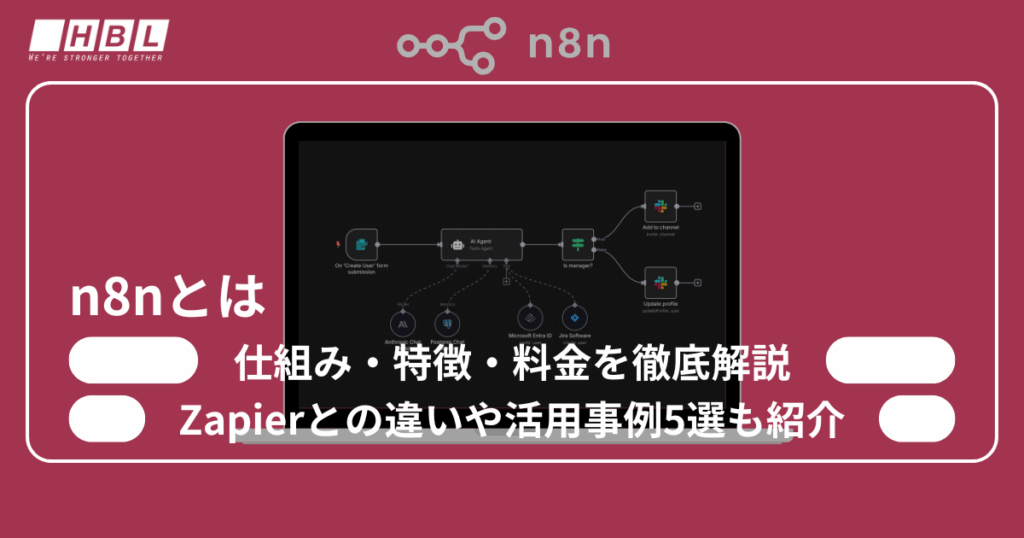
In the context of the ongoing trend towards business efficiency improvements and digital transformation (DX), the automation tool “n8n” is attracting attention. n8n is an open-source workflow automation platform characterized by its ability to flexibly build complex processes and custom workflows.
Compared to well-known automation services like Zapier and Power Automate, n8n offers greater flexibility and can dramatically improve business efficiency through integration with AI agents and external applications. This article provides a clear explanation of n8n’s basic mechanisms, main features, differences between the cloud and self-hosted versions, and pricing structure.
Furthermore, we have included comparisons with other automation tools and examples of their actual use, to help you visualize concrete applications in business and development environments.
What is n8n?
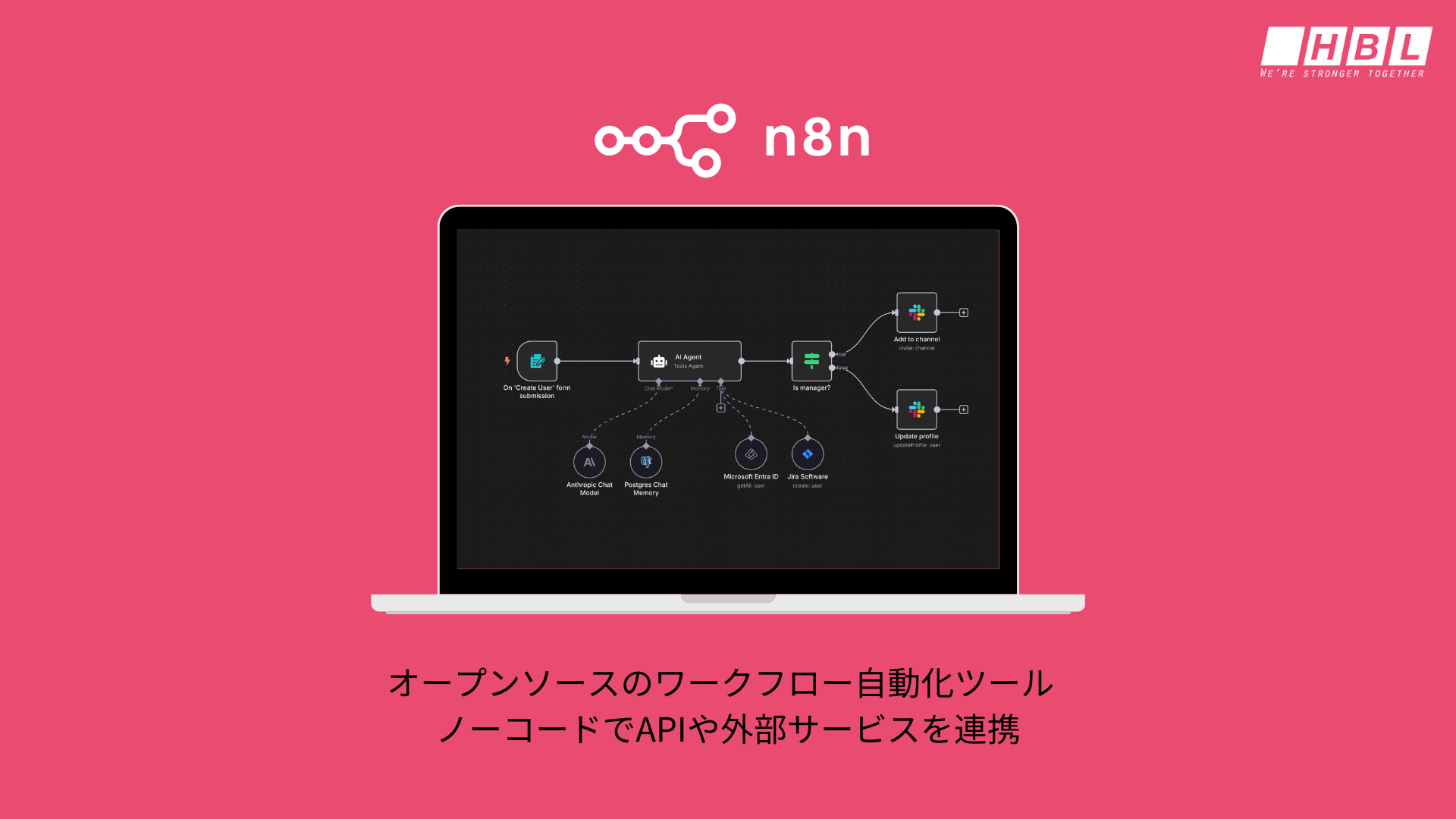
n8n is an open-source workflow automation tool developed and operated by n8n GmbH, based in Berlin, Germany. It was founded by engineer Jan Oberhauser, who currently serves as CEO and leads the product. Since its initial release on GitHub in June 2019 , it has rapidly gained popularity within the open-source community and is now widely used by engineers and companies worldwide.
n8n’s key feature is its ability to connect APIs and external services as “nodes,” allowing users to build workflows with intuitive visual operations. It offers both a free, open-source version that can be self-hosted and a cloud version that reduces operational burden, allowing users to flexibly choose according to their use case. It also employs a unique licensing system called the “fair-code license,” which allows for free internal use but imposes certain restrictions on commercial and large-scale use.
Furthermore, n8n currently supports over 400 types of integrations, allowing it to connect with a wide range of systems, including Slack, Google services, and databases. In March 2025, it raised €55 million in funding, and development and feature enhancements are expected to accelerate in the future.
Due to its flexibility and high scalability, n8n is attracting attention as an “open-source, highly flexible alternative to Zapier,” and can be said to be a tool that can greatly contribute to promoting digital transformation in companies and improving the productivity of development teams.
How n8n works
n8n is positioned as a “low-code/no-code automation tool,” and its system is built around a visually intuitive workflow builder. Users can connect components called “nodes” to integrate with external applications
For example, it can automatically forward emails received in Gmail to Slack, or automate new user registrations by linking with a customer database. Another major feature is its open-source nature, allowing for extensive customization. Furthermore, recent advancements in integration with AI agents enable the incorporation of intelligent decision-making into traditional automation workflows.
Basic mechanism
The fundamental mechanism of n8n lies in building workflows based on “nodes.” A node is a component responsible for specific processes or connections to external services, and users combine these nodes to create automated flows.
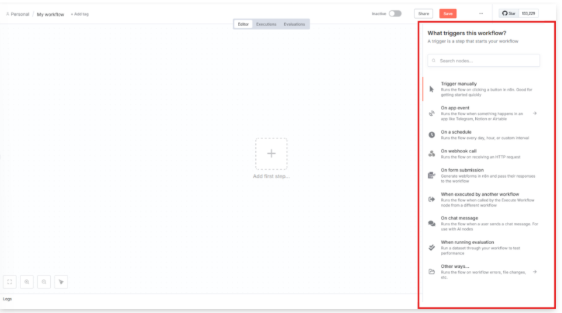
Workflows consist of “triggers,” “actions,” and “conditional branching,” allowing for flexible handling of complex business processes. For example, you can set up a series of processes—such as registering data in a database when a web form is entered and then notifying the result via email—without writing any code.
| component | explanation |
| Trigger node | Trigger for starting a workflow (e.g., receiving a new email) |
| Action node | Actual processing (e.g., Slack notification, database saving) |
| IF node | Set up conditional branching to separate the processing. |
| Function node | Flexible node that allows you to embed custom scripts. |
Thus, while the basic mechanism is simple, it possesses the scalability to adapt to complex tasks.
Integration with AI agents
A major area of improvement in n8n in recent years is its integration with AI agents. While traditional automation flows operated according to predefined rules, combining them with AI enables flexible decision-making based on the situation. For example, n8n can receive customer inquiry emails, and the AI can analyze their content to determine whether to forward them to the support department or automatically return an FAQ.
Furthermore, by incorporating generation AI, it becomes possible to perform advanced tasks such as drafting marketing materials and automatically generating customer response messages. As a result, n8n has evolved from a mere automation tool into an intelligent business support platform, and its adoption is accelerating as a crucial element in promoting digital transformation (DX).
In this way, by incorporating generative AI into n8n, it becomes easier to build business workflows that include AI-driven decision-making, such as classifying inquiries, generating responses, and creating reports, in addition to traditional rule-based automation. For more information on the basic mechanisms, types, and use cases of AI agents, please refer to the following article.
* Related article: What is an AI agent? Explanation of its mechanism, types, 8 use cases, and related technologies.
Key features of n8n
n8n is a particularly flexible and scalable platform among the many automation tools available. This is because it is offered as open source and allows for the construction of complex workflows by combining hundreds of different nodes. Furthermore, because it supports both cloud and self-hosted environments, it is suitable for a wide range of companies from a security and cost perspective.
Furthermore, integration with AI agents allows for the incorporation of “intelligent processing” beyond mere automation, enabling advanced automation that is difficult to achieve with other competing tools. Below, we will explain the main features of n8n in detail.
Open source and freely customizable
One of n8n’s greatest strengths is that it is provided as open source. Users can freely view and modify the source code, and customize it to suit their own requirements.
For example, it’s possible to develop dedicated nodes that integrate with specific internal systems, or to extend existing functionality to build more complex workflows. This offers a level of flexibility not found in closed services like Zapier or Power Automate, which have significant limitations.
Furthermore, because it can be implemented on in-house servers, ensuring a sense of security, its adoption is progressing in financial institutions and the medical field, which handle highly confidential information. The high degree of customizability is one of the reasons why n8n can be used not only as an automation tool but also as a development platform.
Abundant nodes and high scalability
n8n offers hundreds of different nodes, making it easy to connect with external apps and services. A node is a component that handles specific processes, such as Gmail, Slack, Google Sheets, databases, and APIs. Users can combine these nodes to automate processes like data retrieval, transformation, notification, and storage.
Furthermore, by utilizing “Function nodes” that incorporate conditional branching, loop processing, and custom code, it’s possible to build more advanced and complex workflows. Developers can add their own nodes to extend the functionality and achieve business-specific automation. This high level of extensibility makes n8n a powerful tool capable of handling a wide range of tasks, from simple task processing to large-scale system integration.
Supports both self-hosted and cloud services.
n8n offers both cloud and self-hosted versions, allowing for flexible selection based on your usage scenario. The cloud version utilizes the official hosting environment, offering the advantage of no setup hassle and immediate deployment. On the other hand, the self-hosted version can be installed and operated on your own servers or cloud infrastructure, making it suitable for industries with strict data handling requirements and companies with high security demands.
When handling customer information or confidential data, the fact that data does not need to be shared externally is a major source of reassurance. Furthermore, the self-hosted version allows for company-specific extensions and customizations, enabling operation optimized for specific business needs. This makes n8n a platform that can meet a wide range of needs, from small-scale individual use to large corporations.
Integration with AI agents
In recent years, n8n has also focused on integrating with generative AI and AI agents, enabling the addition of intelligence to traditional rule-based automation. For example, it can create a workflow where, upon receiving an inquiry email from a customer, the AI analyzes the content, automatically generates an appropriate answer from FAQs, and sends it back.
In the field of marketing, it is possible to provide a more effective customer experience by generating optimal messages based on customer data analyzed by AI, with n8n handling automated distribution. Furthermore, by connecting with natural language processing models such as the GPT series, intellectual tasks such as text summarization, translation, and report generation can be automated.
Through its integration with AI, n8n is evolving beyond simple task automation into a next-generation automation platform that supports strategic decision-making and improved customer experiences.
▼Download Document: Roadmap for Company-Wide Deployment of AI-Powered Business Automation
To integrate AI agents and generative AI into n8n, it’s crucial to organize not only the workflow design, but also the priority use cases, data infrastructure, security, and operational rules.

Higher flexibility than competing tools like Zapier
Compared to competing tools like Zapier and Power Automate, n8n has a significant advantage in terms of its high degree of flexibility. While Zapier is easy to get started with, its complex conditional branching and limitations on usage can be drawbacks in some cases.
On the other hand, n8n allows for nearly unlimited executions and the construction of sophisticated logic, enabling more complex workflows. Furthermore, its open-source nature allows for the addition of custom features and API integration, which is a major advantage. This makes it flexibly adoptable not only by individual users but also by companies with industry-specific needs.
In terms of cost, while Zapier’s fees increase with usage, n8n allows for low-cost, large-scale operation if self-hosting is chosen. This high degree of flexibility is a major asset for companies promoting digital transformation (DX).
How to use n8n
n8n is an open-source automation tool, but its usage is broadly divided into cloud-based and self-hosted versions. The cloud-based version allows you to access and use the officially provided environment immediately, making it suitable for beginners and small-scale users.
On the other hand, the self-hosted version can be installed and used on your own servers or cloud services ( such as AWS , GCP , and Azure ), making it suitable for companies that have strict data handling requirements or are considering large-scale operations.
Both methods feature an intuitive design where basic operations are performed by combining nodes, making them highly appealing because they can be used without any coding knowledge. Below, we will explain how to use each method in detail.
Cloud version
The cloud version of n8n can be easily used by visiting the official website and creating an account.
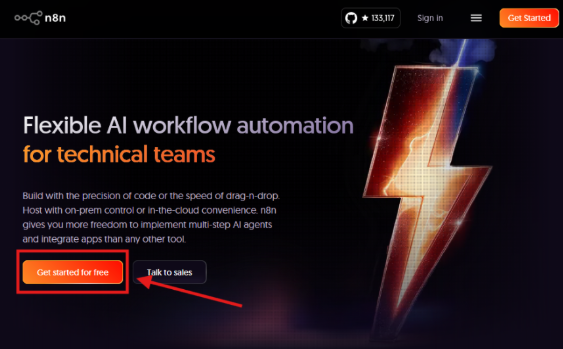
It doesn’t require installation on your local environment; you can start creating and running workflows immediately from your web browser, making it very easy to adopt. Pricing is subscription-based, with plans available to suit your usage scale.
For example, it can handle a wide range of tasks, from automating tasks for individuals or small teams to improving the operational efficiency of medium-sized businesses. In a cloud environment, the latest version is always applied, and security patches and maintenance are performed automatically, minimizing management effort.
Self-hosted version
The self-hosted version of n8n is used by installing it on your own servers or cloud services using Docker or Node.js.
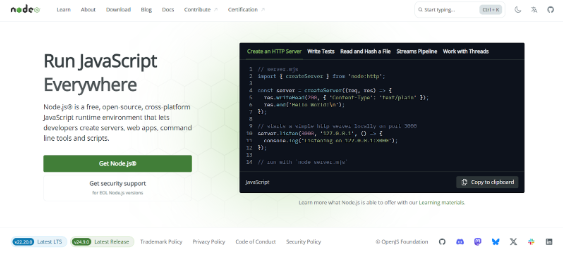
While it requires more initial setup and server management knowledge compared to the cloud version, it excels in security and customization. For example, because customer information and confidential data can be handled entirely within the company without being shared externally, it can be safely implemented in industries with strict information management requirements, such as finance and healthcare.
Next, open the command prompt and execute the following command.
“npx n8n”
At this point, you may be prompted to update and an error may occur. In this case, please execute the following command, and then execute the above command again.
“npm install -g npm@10.2.4”
You will then be asked “Ok to proceed? (y)”, so type “y” and press Enter. If a lot of text appears on the command prompt and the following statement is output on the last line, then it was successful.
n8n pricing structure
n8n offers different pricing structures for its cloud and self-hosted versions. The cloud version is subscription-based, with charges based on the number of users and workflows. The self-hosted version, on the other hand, is free to use, but requires separate costs for infrastructure and maintenance.
This flexible pricing structure is a key feature, allowing it to accommodate a wide range of users, from small-scale individual users to large-scale corporate clients.
| Plan | Monthly fee | Number of users | Number of executions | Main features |
| Free (Cloud) | free | 1 user | Restrictions apply | Suitable for testing and learning. Basic functions are available for trial. |
| Basic (Cloud) | From about $20 | Multiple users | Medium-scale restrictions | Suitable for small teams and capable of stable operation. |
| Pro (Cloud) | From about $50 | Team support | Restriction expansion | For business use. Support included. |
| Enterprise (Cloud) | Please inquire for details. | Large scale | Nearly unlimited | SLA guarantee, dedicated server, extended support |
| Self-host | Free (OSS) | Unlimited | Unlimited | Software usage is free. Infrastructure and operational costs are separate. |
n8n’s pricing structure is designed to be flexible and meet the needs of its users. The cloud version starts with a free plan, providing an environment where individual developers and users learning the technology can easily try it out. Upgrading to a paid plan allows for team use, increased execution limits, and enhanced support, providing greater peace of mind for business use.
The Pro plan and above are suitable for small and medium-sized businesses where stability and security are important, while the Enterprise plan is recommended for large enterprises that require dedicated servers and SLAs (Service Level Agreements).
On the other hand, the self-hosted version is completely free to use, but requires the company to build and maintain its own servers and infrastructure. However, it offers greater flexibility and cost control, making it popular in industries with strict information management requirements and for companies considering large-scale operations.
As described above, n8n offers a diverse range of pricing structures tailored to various user bases, allowing users to choose the optimal option based on their scale and objectives.
Differences between n8n and other automation tools (compared to Zapier, Dify, and Power Automate)
| tool | Pricing | Flexibility and expandability | Number of compatible apps | Main features |
| n8n | Open source software (OSS) is free, while cloud services have paid plans. | Very expensive (code can be added) | hundreds or more | Open source, highly customizable, and self-hostable. |
| Zapier | Monthly subscription (charged per use) | Moderate (branching is limited) | Over 5,000 | It boasts the largest number of compatible apps in the industry. It’s beginner-friendly and easy to implement. |
| Dify | Free basic plan + paid plan | High (AI specialized) | AI-related topics | Strengths in AI agents and generative AI applications |
| Power Automate | Integrates with Microsoft 365, and uses a pay-as-you-go pricing model. | Expensive (but leans towards the Microsoft environment) | 300 or more | Strong integration with Microsoft products. Suitable for enterprise use. |
Compared to Zapier and Power Automate, n8n’s biggest advantage is that it is open source. Zapier supports a very large number of applications and is easy for beginners to use, but it has limitations in branching and building advanced logic, and tends to be costly for large-scale use.
Power Automate excels in integration with Microsoft 365, making it suitable for companies that heavily utilize Office products. However, its flexibility decreases if the user environment is not Microsoft-centric. On the other hand, Dify specializes in AI utilization, and its strength lies in its ability to easily integrate generative AI and AI agents into business processes.
In contrast, n8n offers the flexibility of choosing between a cloud version and a self-hosted version, as well as the ability to add custom nodes and embed code, and seamlessly integrate with AI tools. In short, although it is inferior to Zapier in terms of the number of applications it supports, n8n is far superior in terms of flexibility and scalability, making it an ideal choice for companies and developers with many unique requirements.
n8n use cases
n8n leverages the strengths of open source, offering the flexibility to meet a wide range of automation needs across industries and business functions. It is increasingly being used in various situations, such as automating daily reports and customer management in sales, streamlining order processing and inventory management in e-commerce operations, and optimizing development flows and notifications in engineering teams.
Furthermore, it supports integration with the latest AI services such as OpenAI and external SaaS, and is characterized by its evolution from mere labor saving to “intelligent automation.” Here, we will introduce five specific use cases and explain in an easy-to-understand way how it can be useful in business settings and development environments.
Slack notifications × Google Sheets record keeping (sales and reporting tasks)
For sales teams and customer support departments, it’s crucial to share customer interaction details and deal progress in real time. With n8n, you can build a workflow that automatically transfers information posted on Slack to Google Sheets.
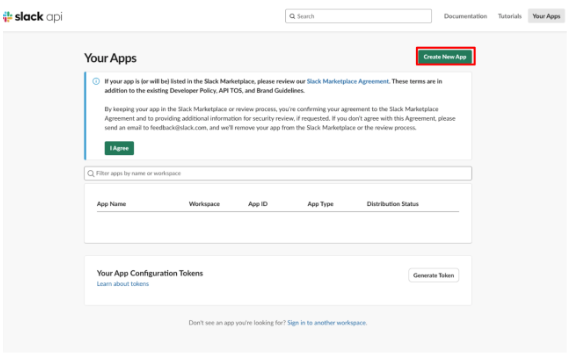
This allows team members to easily report via Slack, and the data is automatically accumulated in a spreadsheet, facilitating smoother analysis and progress tracking later on. It prevents manual duplicate entries and missed records, improving overall team efficiency.
Furthermore, by adding a system that automatically generates summary reports periodically based on the data on the spreadsheet and sends them to Slack, reporting to management can be automated end-to-end. This is a practical example of achieving both visibility and efficiency in sales activities.
Shopify x Notion integration (e-commerce site management)
For e-commerce site management, order management and inventory status tracking are essential. By using n8n, you can build a system that automatically registers information about new orders placed on Shopify into a Notion database.
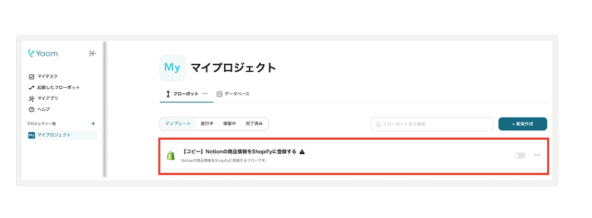
This allows for centralized management of order details and customer information, enabling the entire operations team to understand the situation in real time. Furthermore, by synchronizing inventory levels with Notion, product pages and data necessary for customer support can always be shared in an up-to-date state. Integrating order data and customer information that were previously managed in separate tools not only significantly improves operational efficiency but also reduces human error. Automation with n8n is a valuable system for a wide range of businesses, from small businesses to large-scale e-commerce sites.
Weboy × OpenAI (AI integration)
n8n can receive requests from external services using webhooks and pass that data to the OpenAI API, enabling advanced integration with generative AI.
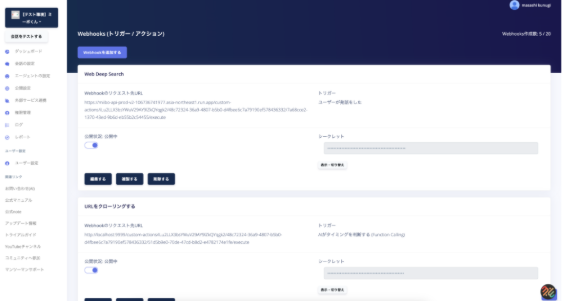
For example, it’s possible to create a system that receives user inquiries via webhooks, sends them to OpenAI, automatically generates responses, and sends them back via email or Slack. Furthermore, incorporating processes such as summarizing product reviews and translating text can directly lead to increased efficiency in marketing and customer support. Compared to traditional rule-based automation, a major advantage of incorporating AI is the ability to automate intelligent processes such as judgment and creativity.
The combination of n8n’s flexible workflow building capabilities and OpenAI’s natural language processing capabilities is attracting attention as a next-generation automation platform.
GitHub integration × CI notifications (for engineers)
In software development, it’s essential to quickly share repository updates and CI/CD pipeline execution status across the entire team. Using n8n, you can easily build a workflow that detects pull requests and commits on GitHub as triggers and automatically notifies Slack or Teams of the results.
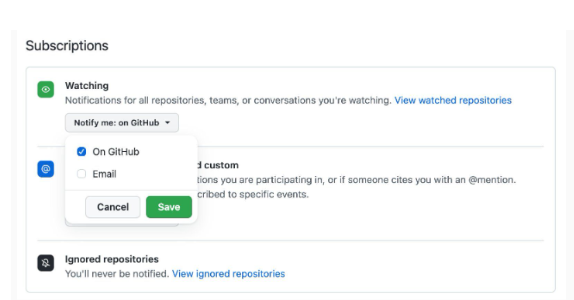
Furthermore, it’s possible to integrate results from CI tools (such as Jenkins and CircleCI) into n8n and implement advanced conditional branching, such as sending alerts to the team only in case of failure. This eliminates the need for engineers to manually check progress and creates an environment where problems can be addressed immediately. By simultaneously accelerating the entire development cycle and improving quality, n8n becomes a powerful support tool for development teams.
Automatic synchronization with external APIs (SaaS integration)
In modern businesses, it’s common to use multiple SaaS applications simultaneously, making a system for efficiently synchronizing data from each crucial. n8n excels at integrating with external APIs, allowing for automatic synchronization of data from CRM, accounting software, marketing tools, and more.
For example, it’s possible to integrate multiple SaaS applications, such as reflecting customer purchase information from an e-commerce site into a CRM and simultaneously sending that customer data to an email marketing tool. This not only reduces the effort of manual data entry and updates, but also improves the overall accuracy of operations by maintaining information consistency.
Furthermore, because it can integrate with services that have their own APIs, it can flexibly accommodate a company’s unique workflow. n8n functions powerfully as a hub that centrally connects often fragmented SaaS environments.
HBLAB provides AI agent and business automation support.
n8n is a tool that connects Slack, Google Sheets, Shopify, Notion, GitHub, various SaaS applications, and external APIs to flexibly automate business workflows. However, for full-scale use in a corporate setting, it’s necessary to consider not only creating workflows, but also organizing the target tasks, integrating with existing systems, managing permissions, handling data, and designing operational rules.
HBLAB leverages its expertise in AI development, business process automation, and system integration to support companies in promoting digital transformation (DX). In addition to workflow automation tools like n8n, we can design and develop automation platforms tailored to business challenges, including AI agents, RAG, internal knowledge search, automated inquiry handling, SaaS integration, and external API integration.
Furthermore, by combining n8n with generative AI and AI agents, it is possible to achieve more advanced business support, such as classifying inquiries, generating responses, creating reports, summarizing data, and searching for internal information, in addition to conventional rule-based automation. At HBLAB, we support companies in establishing AI and automation in their daily operations by guiding them through the process from PoC to production development and operational improvement in stages.
If you have challenges such as “We want to automate internal operations using n8n,” “We want to integrate AI agents with existing systems,” or “We want to optimize business workflows by connecting multiple SaaS and APIs,” please feel free to contact HBLAB.
To successfully implement n8n-based business automation in practice, it’s crucial to design not only workflows, but also the selection of automation targets, integration with existing systems and SaaS, data handling, access control, security, and operational rules as a unified system.
HBLAB provides comprehensive support, from AI agent planning and proof-of-concept (PoC) to generative AI and LLM application development, business process automation, integration with existing systems, and operational improvements.

summary
n8n is a next-generation automation tool that offers the flexibility and scalability inherent in open-source software. With the flexibility of choosing between cloud and self-hosted versions, and the ability to integrate with AI agents and external SaaS solutions , it can handle a wide range of needs, from business efficiency improvements to advanced digital transformation.
Compared to competing services such as Zapier, it offers a high degree of flexibility, and its biggest appeal lies in its ability to build optimal workflows tailored to business requirements. At HBLAB, we leverage our extensive knowledge of AI development and business automation to propose and support the implementation of optimal solutions, including n8n. If you are considering using automation that suits your company, please feel free to contact HBLAB.